Run your whole Android fleet from your Mac.

Mirror, control, and screen-record multiple Android devices at once — and record demos with the taps visible. Built for developers, QA, and support teams.

Download for macOS See pricing
Free to try · one device. Apple Silicon & Intel · macOS 11+.
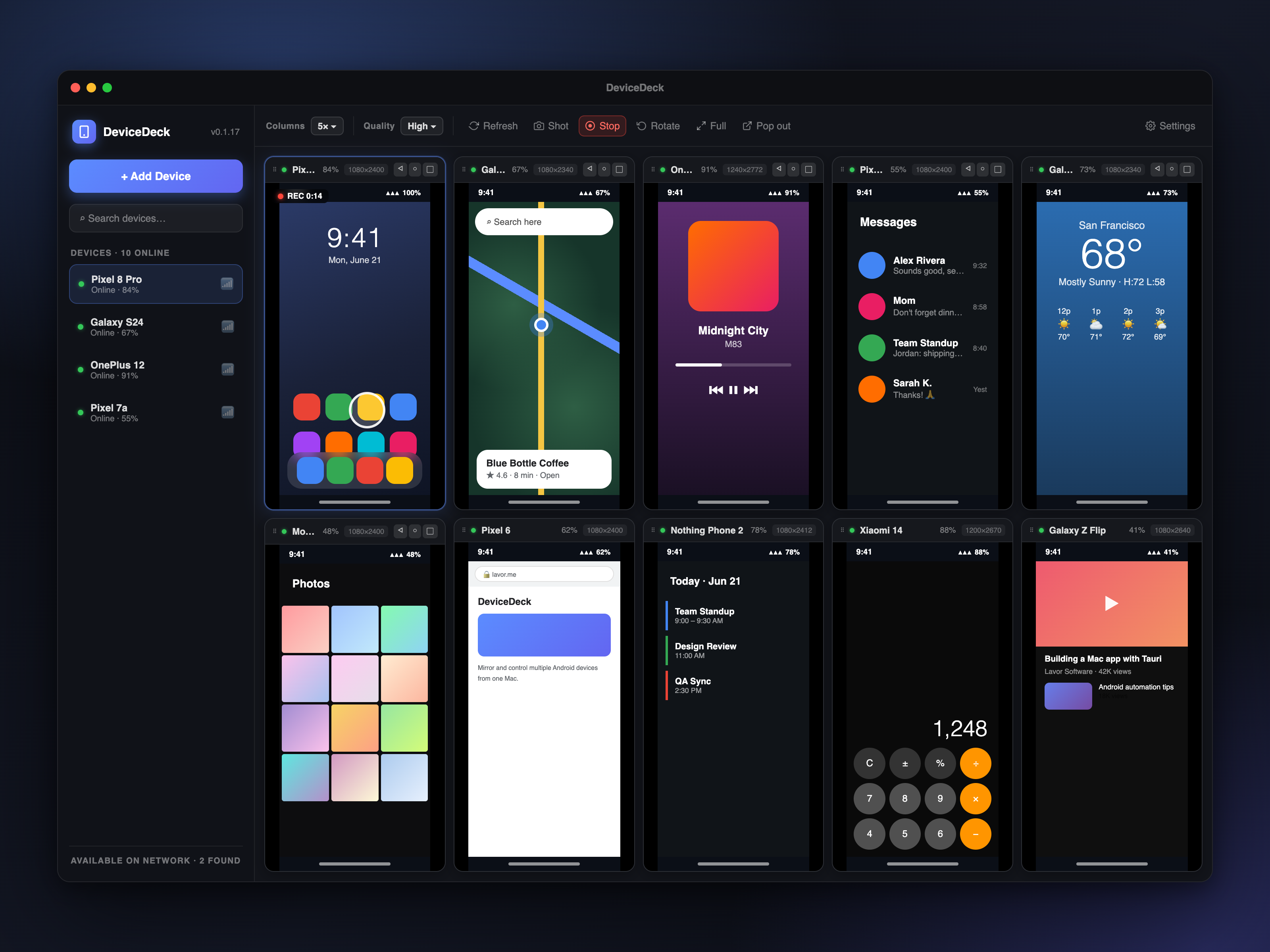
DeviceDeck showing ten Android devices mirrored at once on a Mac
Why DeviceDeck

One deck for every device

A polished, fast, native Mac app for mirroring and controlling your Android devices — no terminal, no fuss.

🗂️

Many devices, one window

Mirror and control a grid of Android phones & tablets simultaneously, 1–10 columns. Drag to reorder.

⏺️

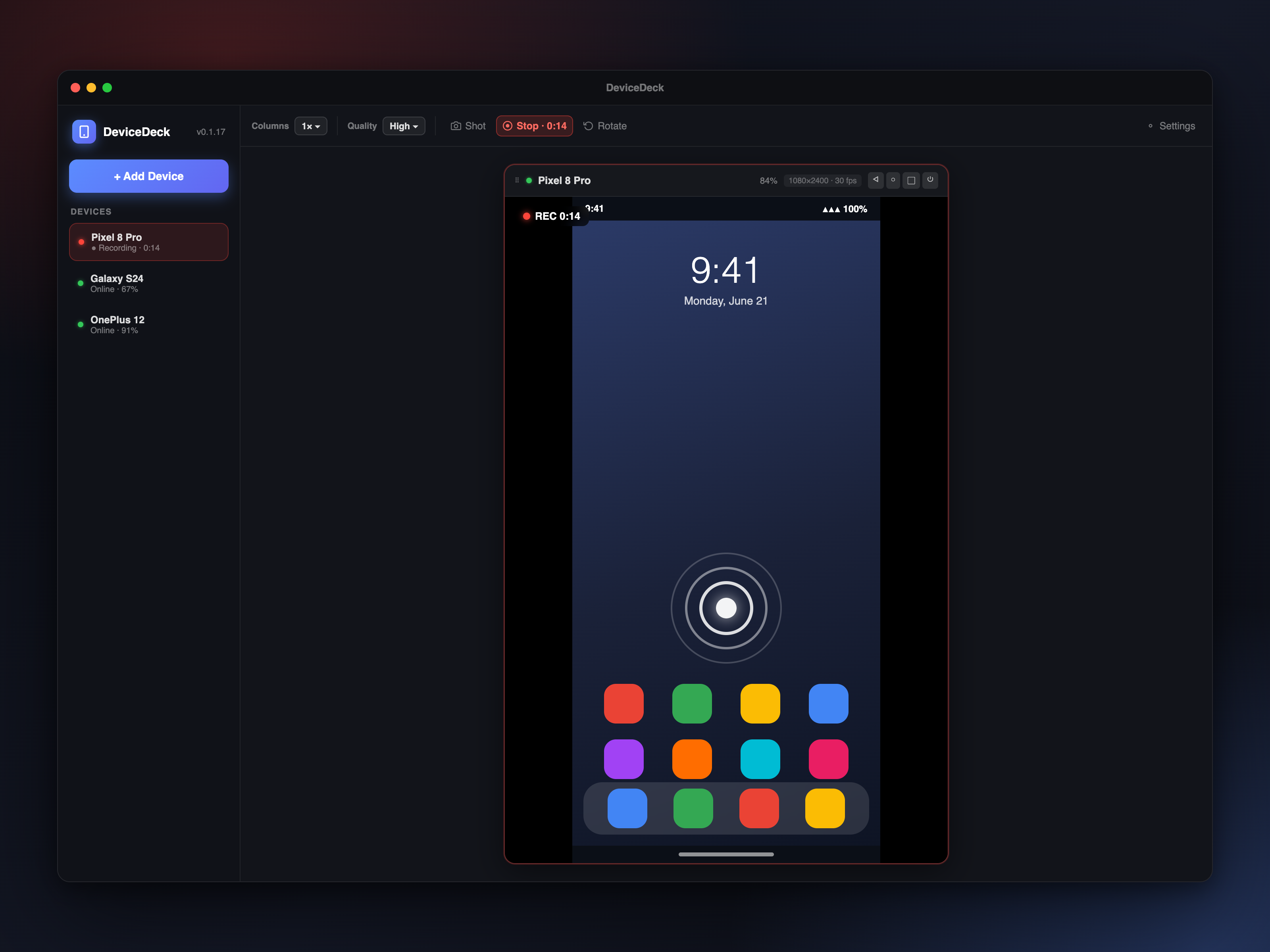
Record with visible taps

Capture screen recordings where every tap shows on screen — perfect for demos, tutorials, and bug reports.

🎮

Real control

Tap, swipe, long-press, type, and use the nav/power/volume keys — over USB or Wi-Fi.

📸

Instant screenshots

Full-resolution PNG captures saved straight to your Mac, one click.

📡

Auto-discovery

Finds devices on your network automatically — connect wirelessly with no manual IP juggling.

⚙️

Works out of the box

adb is bundled — nothing to install. Just open it and your devices appear.

DeviceDeck recording a device with a visible tap ripple
The killer feature

Record demos people can actually follow.

Every tap is drawn right on the recording — so viewers see exactly where you pressed. No more "wait, what did you click?" Ideal for onboarding videos, QA repros, and support clips.

Pricing

Simple, honest pricing.

$29 a year — every Pro feature, on up to 2 of your Macs. Cancel anytime.

Free
$0
  • Mirror & control one device
  • Tap, swipe, type, nav keys
  • USB & Wi-Fi, auto-discovery
  • Multiple devices at once
  • Recording & screenshots
Download free
Pro
$29 / year
  • Everything in Free
  • Unlimited devices in the grid
  • Screen recording with visible taps
  • Screenshots & pop-out windows
  • 2 Mac activations · all updates & support
  • Cancel anytime
Get DeviceDeck Pro
Good to know

FAQ

What do I need to run it?

A Mac on macOS 11 or later (Apple Silicon or Intel) and an Android device with USB debugging or wireless debugging enabled. adb is bundled — you don't need to install anything else.

How many Macs can I use one license on?

Up to 2. You can deactivate a Mac anytime to move your license to a new one.

Is it a subscription?

Yes — DeviceDeck Pro is $29/year, which keeps it updated and supported. You can cancel anytime, and Pro stays active until the end of your billing period.

How is this different from free mirroring tools?

DeviceDeck is a polished, native Mac app built for real work — a multi-device grid, recording with visible taps, screenshots, and automatic device discovery, all without a single terminal command or fiddly setup. It just opens and connects.

Where do my recordings and taps go?

Nowhere but your Mac. DeviceDeck talks directly to your devices over adb — no cloud, no account, no telemetry.